
How to Recharge Ooredoo in Qatar: Every Method Explained
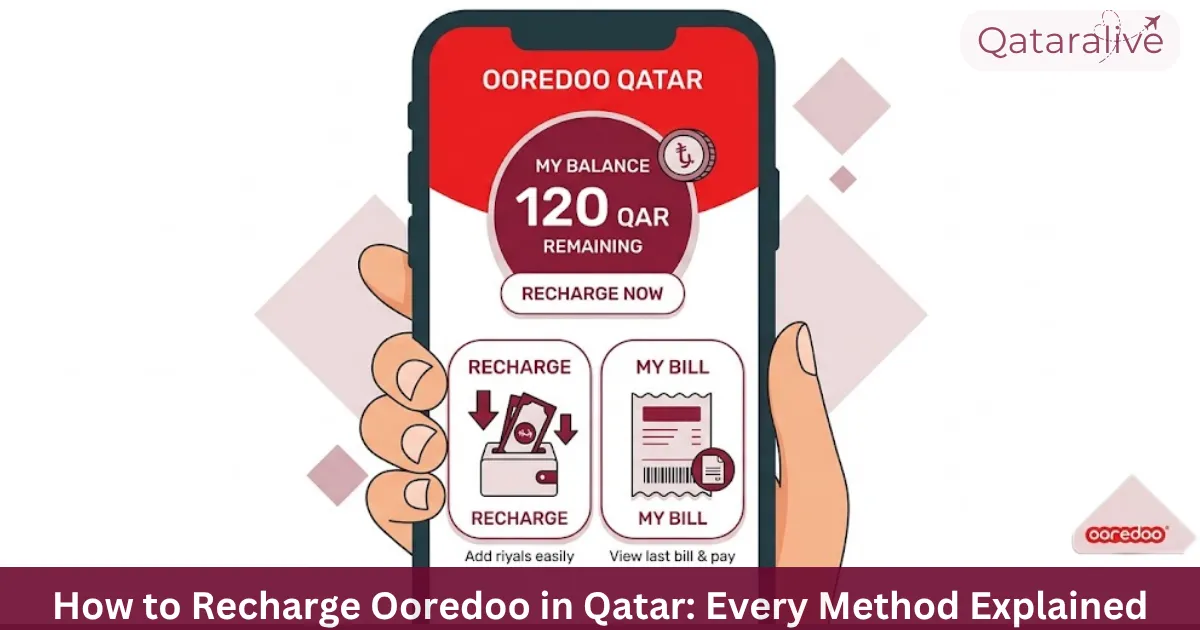
Whether you are on a Hala prepaid line or need to top up Ooredoo Postpaid credit, there are several ways to recharge Ooredoo in Qatar. This guide covers every method: the app, vouchers, Hala cards, online, and how to top up someone else’s number.
Ways to Recharge Your Ooredoo Line
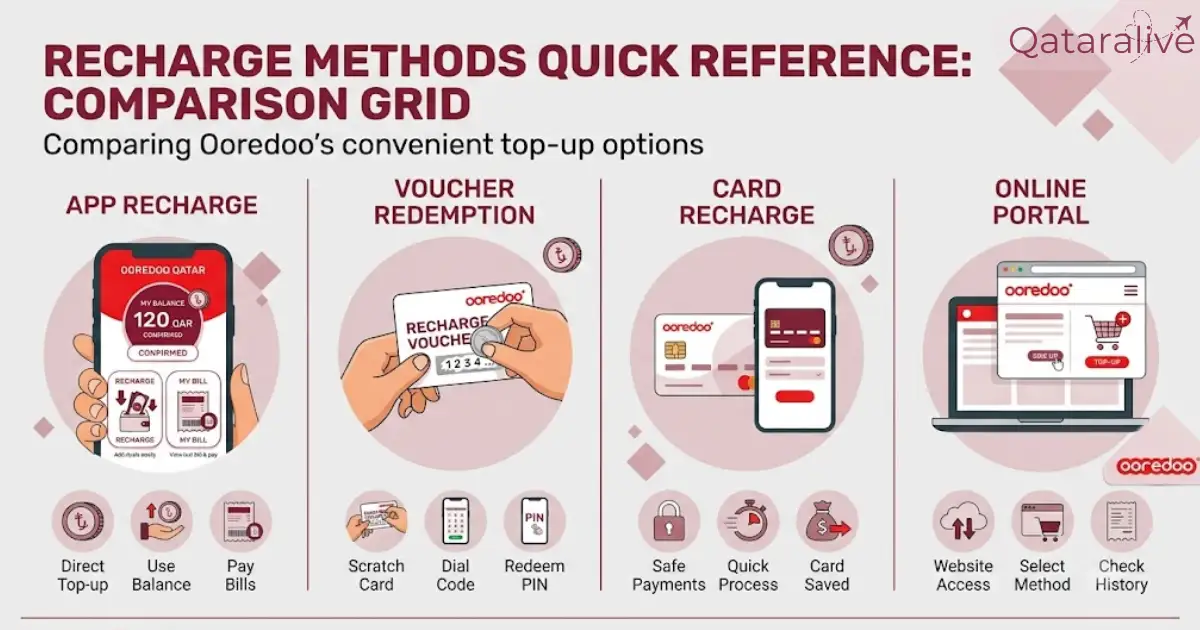
Ooredoo offers two account types. Hala is the prepaid service, where you top up credit before you use it. Shahry and Qatarna+ are postpaid plans, billed monthly, where “recharge” usually means paying your bill rather than adding credit.
You can recharge a Hala line through the Ooredoo app, a physical or digital voucher, a Hala card, the Ooredoo website, Ooredoo Money, or a self-service machine. Each method is covered below.
Recharge Using the Ooredoo App
Recharges through the app are usually instant, and you can set up auto-recharge so your line tops up automatically when your balance drops below a set amount.
Recharge with an Ooredoo Voucher or Recharge Card
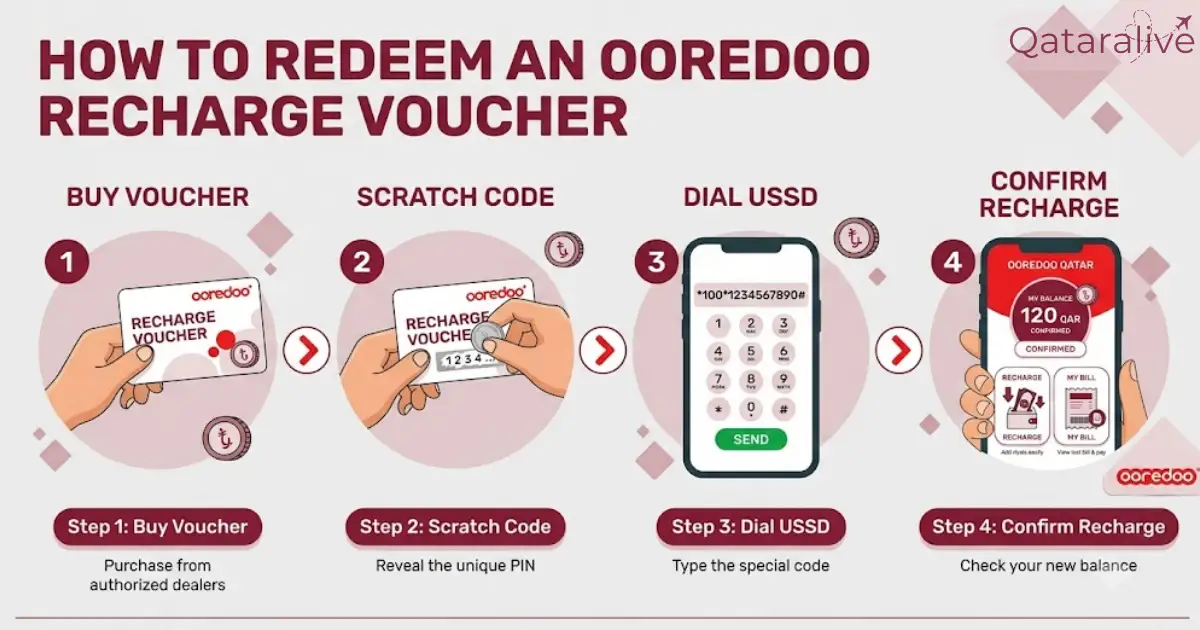
Buying a voucher
Physical recharge vouchers and scratch cards are sold at Ooredoo stores, supermarkets, and authorized retailers across Qatar. Digital vouchers can be bought online or through delivery apps and arrive as a code by SMS or email.
Entering the voucher code
The exact USSD code depends on the voucher type, and it’s printed on the voucher itself or included in your confirmation SMS. Standard recharge cards commonly use a code in the format 101[code]#, while scratch-off vouchers commonly use 102[code]#. Flexi cards use a different format, entering just the PIN followed by #.
After dialing the correct code and pressing call, follow the on-screen prompt to confirm. Check your new balance afterward by dialing *129#.
If a code doesn’t work, don’t assume the voucher is invalid. Double check you copied the code correctly, since a single wrong digit is the most common cause of a failed voucher recharge.
Recharge Using a Hala Card
A Hala card is Ooredoo’s standard prepaid recharge card, sold in fixed denominations. To use one:
Hala cards work even without a data connection, which makes them useful if you’re recharging for someone with a basic phone or in an area with weak internet coverage.
Recharge Online via Self-Care or Ooredoo Money
Ooredoo Self-Care website
You can recharge from a browser through Ooredoo’s self-care portal. Log in with your mobile number and password, select “Recharge,” choose your amount, and pay by card.
Ooredoo Money wallet
If you have an Ooredoo Money wallet, you can recharge your own Hala line or someone else’s directly from your wallet balance, with no fee for Hala top-ups. This is a convenient option if you already keep funds in Ooredoo Money for other payments, since you skip re-entering card details each time.
Recharge Ooredoo Internet or Data Plans
Recharging Ooredoo Home Internet works differently from a mobile line. Home Internet plans are typically billed monthly like a postpaid service, so “recharging” usually means paying your Home Internet bill through the app, self-care website, or Ooredoo Money, rather than topping up prepaid credit.
If you have a mobile data-only line or Flexi data pack instead, you can top it up the same way as a standard Hala recharge, using the app, a voucher, or a Hala card, then select a data bundle after your credit is added.
Recharge Someone Else’s Ooredoo Number
You can top up another person’s Ooredoo number in a few ways:
This is useful for topping up a family member’s line, an employee’s number, or a domestic worker’s Hala card from abroad.
What to Do If Your Recharge Fails
If a recharge doesn’t go through, work through these checks before contacting support:
Summary
Whichever method you use, your Ooredoo balance updates within minutes. If you manage most of your account from your phone, the Ooredoo app covers recharging, bill payments, and Nojoom rewards in one place.