MOI Qatar ID Check | How to check QID Status Online Guide (Updated)
The MOI Qatar ID is more than the usual process of identification. It serves as a key to several governmental activities and services. To avoid any kind of frustrating situation, it is quite essential to keep a check on the status of your MOI Qatar ID.
How it works
Enter QID or Passport details above
Click Check to go to the official MOI Qatar portal
Complete verification on the official government portal
`;// Append markup inside shadow
const wrapper = document.createElement('div');
wrapper.innerHTML = html;
shadow.appendChild(wrapper);// --- Wiring behavior inside shadow root ---
try {
const s = shadow;
const $ = (sel) => s.querySelector(sel);
const $$ = (sel) => Array.from(s.querySelectorAll(sel));const tabs = $$('.qa-tab');
const qidFormPane = $('#qa-qid-form');
const passportFormPane = $('#qa-passport-form');
const qidInput = $('#qa-qid-input');
const passportInput = $('#qa-passport-input');
const nationalitySelect = $('#qa-nationality');
const qidButton = $('[data-action="qid-check"]');
const passportButton = $('[data-action="passport-check"]');
const qidSuccess = $('#qa-qid-success');
const passportSuccess = $('#qa-passport-success');
const qidError = $('#qa-qid-error');
const passportError = $('#qa-passport-error');function switchTo(tabName) {
tabs.forEach(t => {
const is = t.getAttribute('data-tab') === tabName;
t.setAttribute('aria-selected', is ? 'true' : 'false');
});
if (tabName === 'qid') {
if (qidFormPane) { qidFormPane.classList.add('is-active'); qidFormPane.removeAttribute('aria-hidden'); }
if (passportFormPane) { passportFormPane.classList.remove('is-active'); passportFormPane.setAttribute('aria-hidden', 'true'); }
} else {
if (passportFormPane) { passportFormPane.classList.add('is-active'); passportFormPane.removeAttribute('aria-hidden'); }
if (qidFormPane) { qidFormPane.classList.remove('is-active'); qidFormPane.setAttribute('aria-hidden', 'true'); }
}
}tabs.forEach(t => {
t.addEventListener('click', function () { switchTo(this.getAttribute('data-tab')); });
t.addEventListener('keydown', function (e) { if (e.key === 'Enter' || e.key === ' ') { e.preventDefault(); this.click(); } });
});function showStatus(elSuccess, elError, message, isError) {
if (elSuccess) { elSuccess.classList.remove('is-visible'); elSuccess.setAttribute('aria-hidden', 'true'); }
if (elError) { elError.classList.remove('is-visible'); elError.setAttribute('aria-hidden', 'true'); }
if (isError && elError) { elError.textContent = message; elError.classList.add('is-visible'); elError.setAttribute('aria-hidden', 'false'); }
else if (elSuccess) { elSuccess.textContent = message; elSuccess.classList.add('is-visible'); elSuccess.setAttribute('aria-hidden', 'false'); }
}function validateQID(value) { return /^\d{11}$/.test(value); }
function validatePassport(value) { return /^[A-Z0-9]{6,20}$/.test(value); }function setLoading(btn, isLoading) {
if (!btn) return;
if (isLoading) {
btn.classList.add('loading'); btn.setAttribute('aria-busy', 'true');
const spinner = document.createElement('span'); spinner.className = 'qa-spinner'; spinner.setAttribute('aria-hidden', 'true'); btn.appendChild(spinner);
} else {
btn.classList.remove('loading'); btn.removeAttribute('aria-busy');
const spinner = btn.querySelector('.qa-spinner'); if (spinner) spinner.remove();
}
}if (qidFormPane && qidFormPane.querySelector('form')) {
qidFormPane.querySelector('form').addEventListener('submit', function (e) {
e.preventDefault();
const val = (qidInput.value || '').trim();
if (!validateQID(val)) { showStatus(qidSuccess, qidError, 'Please enter a valid 11-digit QID number. Numbers only.', true); return; }
showStatus(qidSuccess, qidError, 'Redirecting to official MOI website...', false);
setLoading(qidButton, true);
setTimeout(() => {
window.open('https://portal.moi.gov.qa/wps/portal/MOIInternet/services/inquiries/others/officialdocuments', '_blank', 'noopener');
setLoading(qidButton, false);
setTimeout(() => { if (qidSuccess) { qidSuccess.classList.remove('is-visible'); qidSuccess.setAttribute('aria-hidden','true'); } }, 1800);
}, 900);
});
}if (passportFormPane && passportFormPane.querySelector('form')) {
passportFormPane.querySelector('form').addEventListener('submit', function (e) {
e.preventDefault();
const pval = (passportInput.value || '').trim().toUpperCase();
const nat = (nationalitySelect.value || '').trim();
if (!pval || !nat) { showStatus(passportSuccess, passportError, 'Please fill in all required fields.', true); return; }
if (!validatePassport(pval)) { showStatus(passportSuccess, passportError, 'Please enter a valid passport number (6 to 20 alphanumeric chars).', true); return; }
showStatus(passportSuccess, passportError, 'Redirecting to official MOI website...', false);
setLoading(passportButton, true);
setTimeout(() => {
window.open('https://portal.moi.gov.qa/wps/portal/MOIInternet/services/inquiries/others/officialdocuments', '_blank', 'noopener');
setLoading(passportButton, false);
setTimeout(() => { if (passportSuccess) { passportSuccess.classList.remove('is-visible'); passportSuccess.setAttribute('aria-hidden','true'); } }, 1800);
}, 900);
});
}if (qidInput) {
qidInput.addEventListener('input', function (e) { let v = (e.target.value || '').replace(/\D/g, ''); if (v.length > 11) v = v.slice(0, 11); e.target.value = v; });
}
if (passportInput) {
passportInput.addEventListener('input', function (e) { let v = (e.target.value || '').replace(/[^a-zA-Z0-9]/g, '').toUpperCase(); if (v.length > 20) v = v.slice(0, 20); e.target.value = v; });
}switchTo('qid');} catch (err) {
// Do not break the page if something goes wrong
console.error('QatarAlive widget initialization error:', err);
}
})();
How to check Qatar ID Status via MOI Website with QID number
Paying heed to the Qatar ID's validity is a must to ensure a happy life in Qatar. The good news is that MOI Qatar had made it effortless! Here is a simple step-by-step process guiding you through both methods:
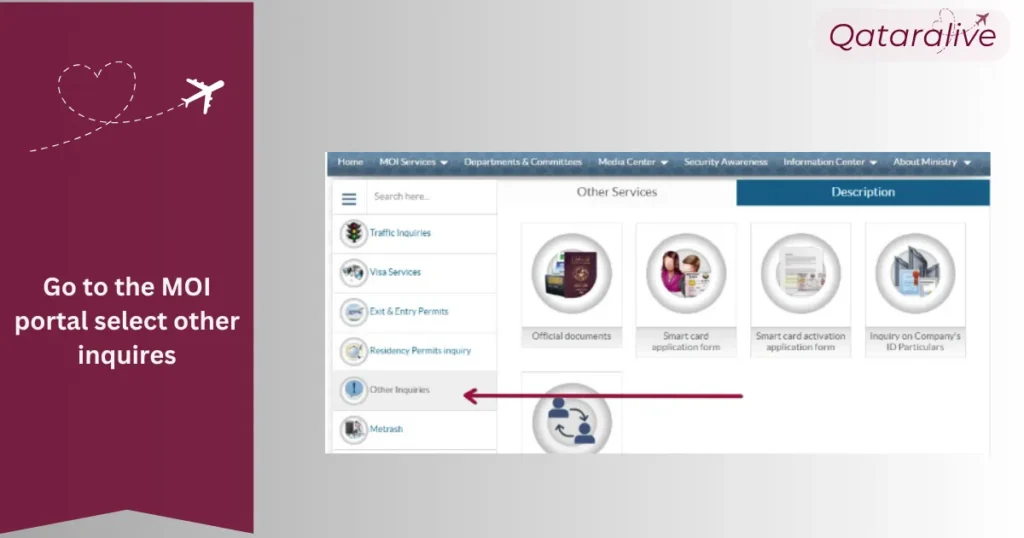
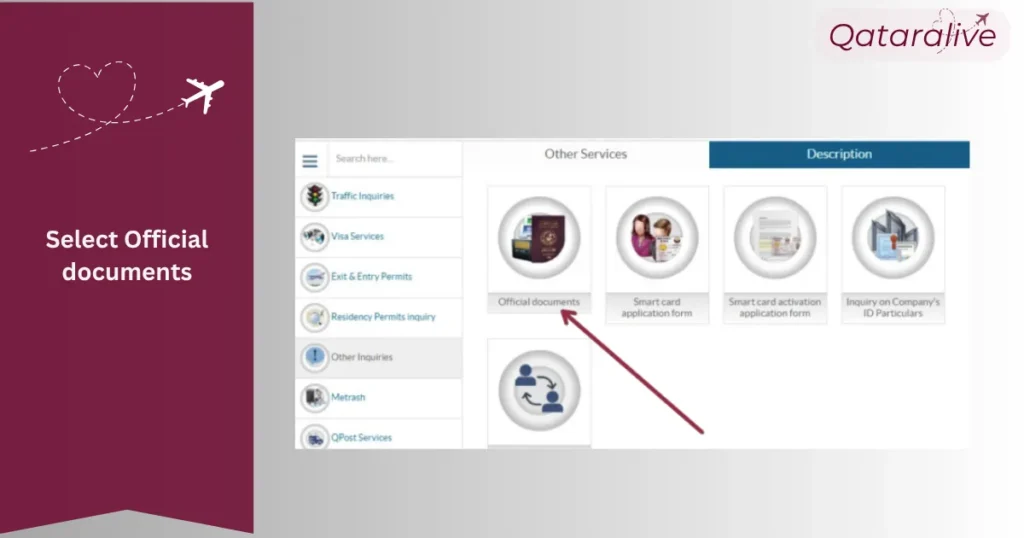
Go to the MOI Portal Open your browser and navigate to MOI portal.
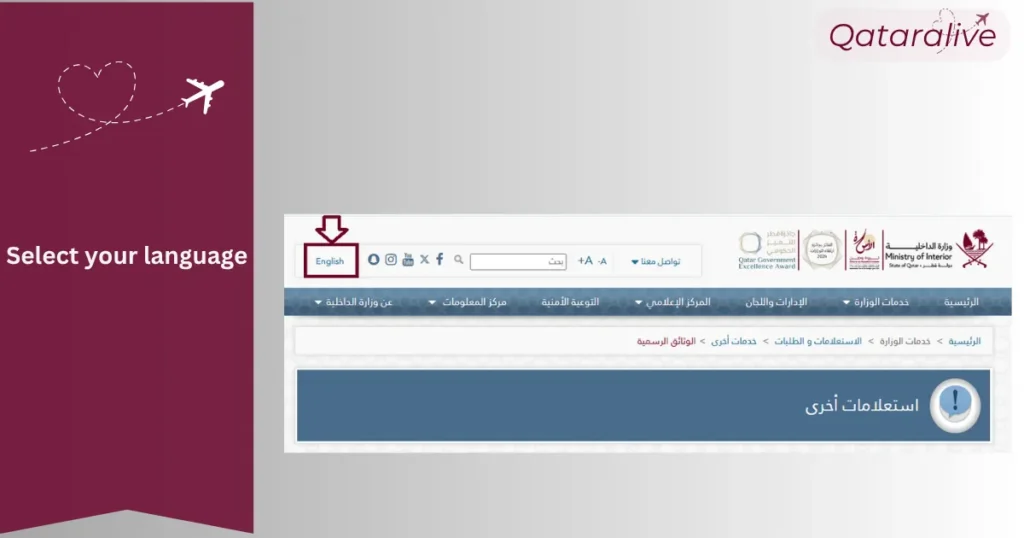
Choose a Language At the top of the page, choose the interface to English or Arabic.
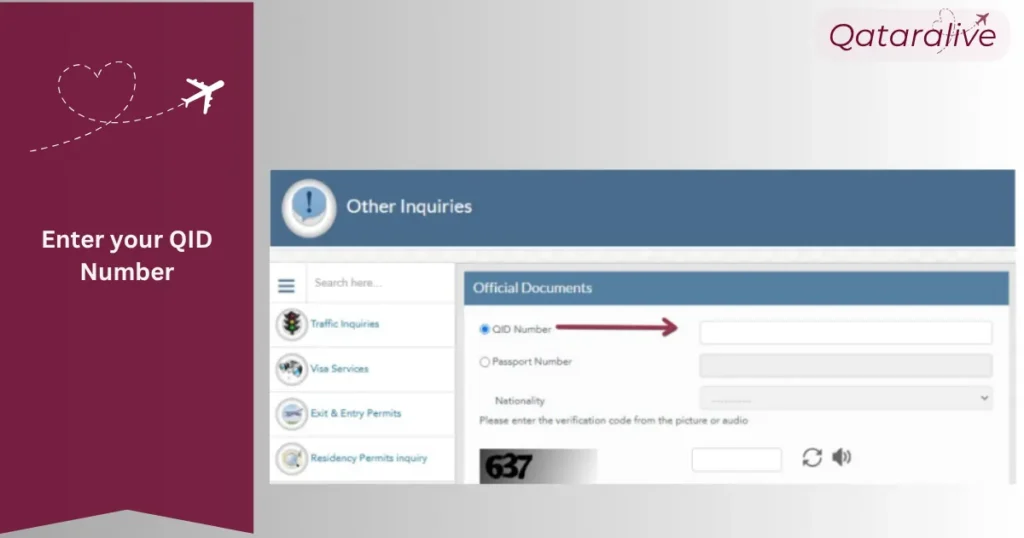
Enter Your QID Type your full 11‑digit Qatar ID number into the designated field.
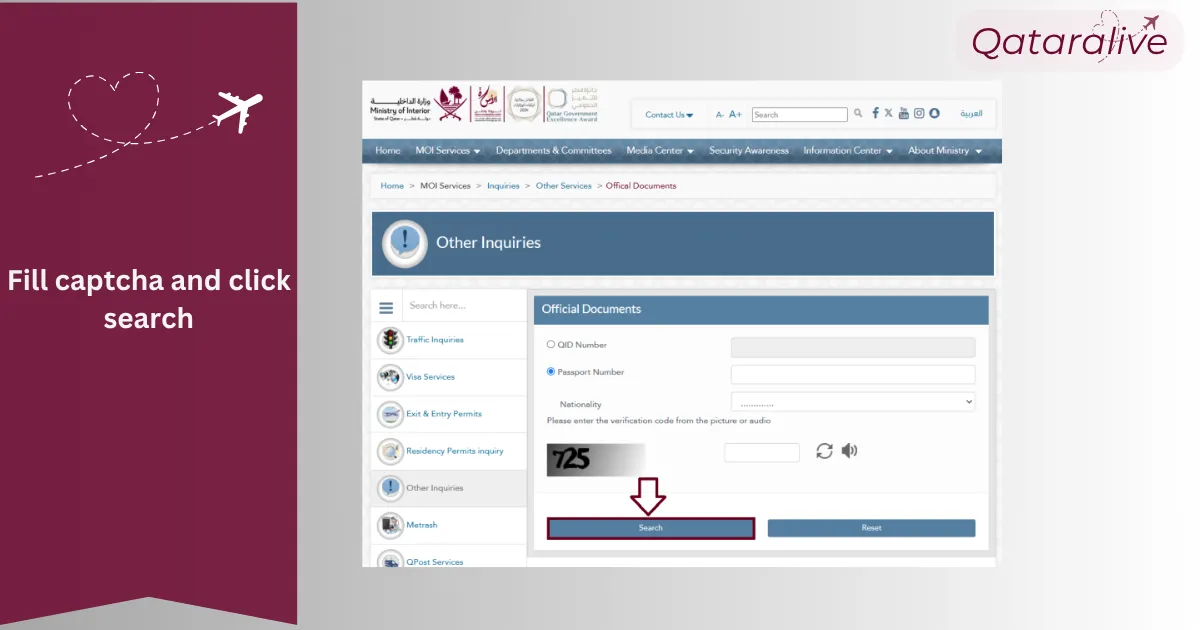
Complete the Captcha You can either read and input the characters shown in the image or use the audio option if you prefer.
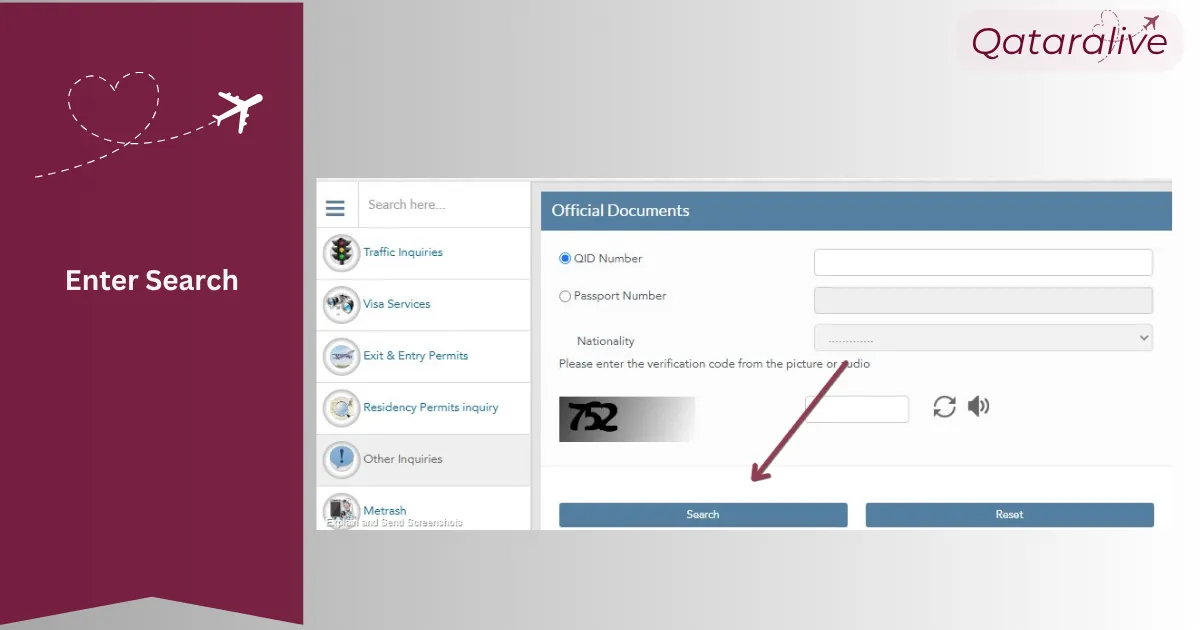
Submit Your Query Hit the Search button.
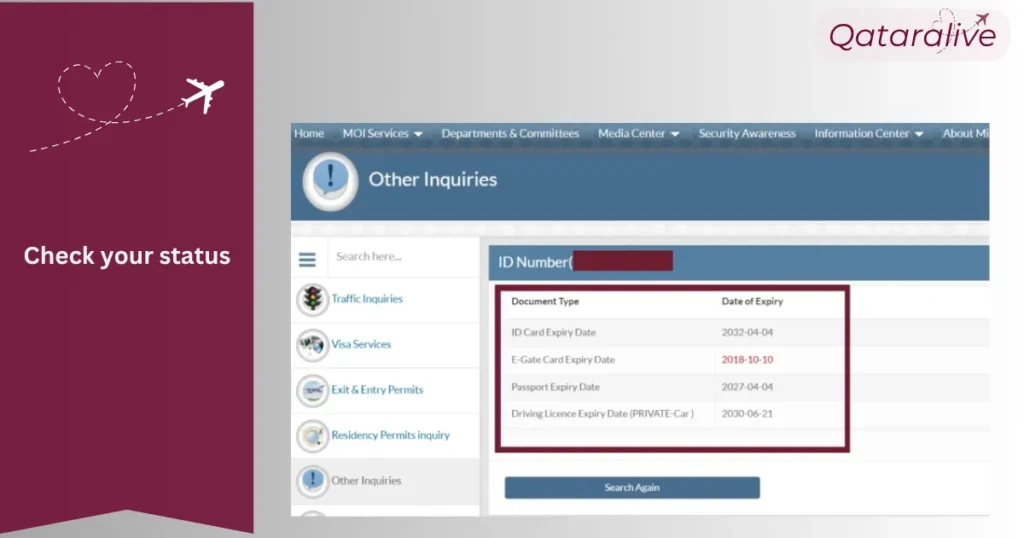
View Your Status You will see details like your ID’s expiry date, residency permit status, passport validity, and any related records.
Tip: If no results appear or you get an error, clear the form, double‑check your 11‑digit entry, then try again.
Access the MOI Website Visit the Ministry of Qatar Portal.
Select a Language Change the site to English or Arabic as needed.
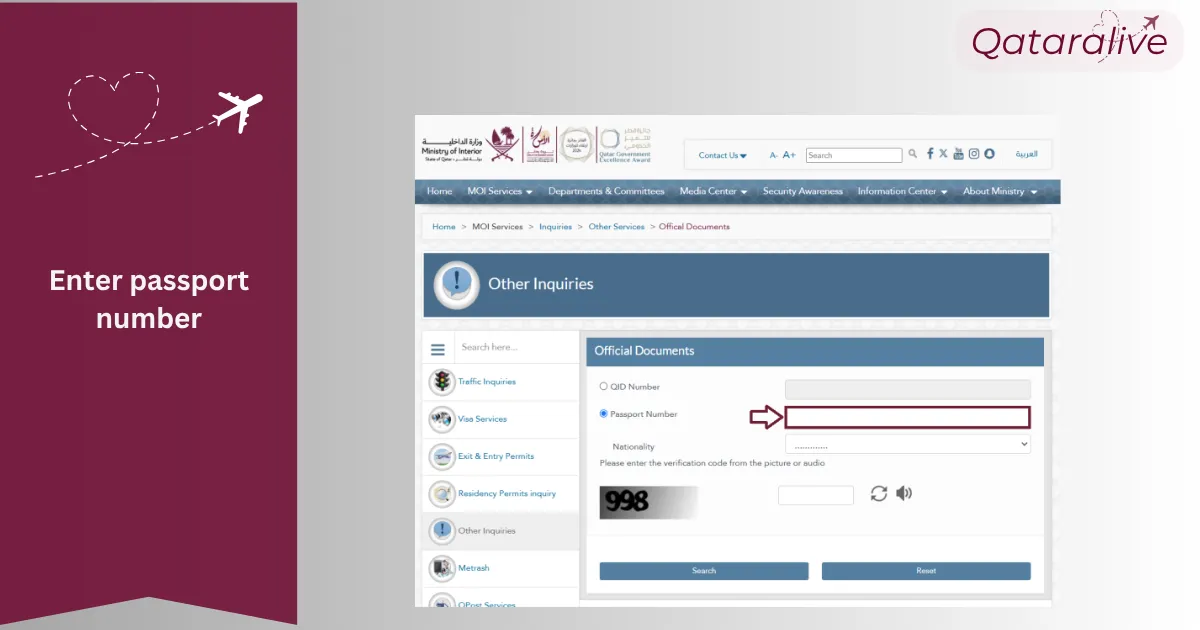
Input Your Passport Number Enter the exact passport number in the appropriate field.
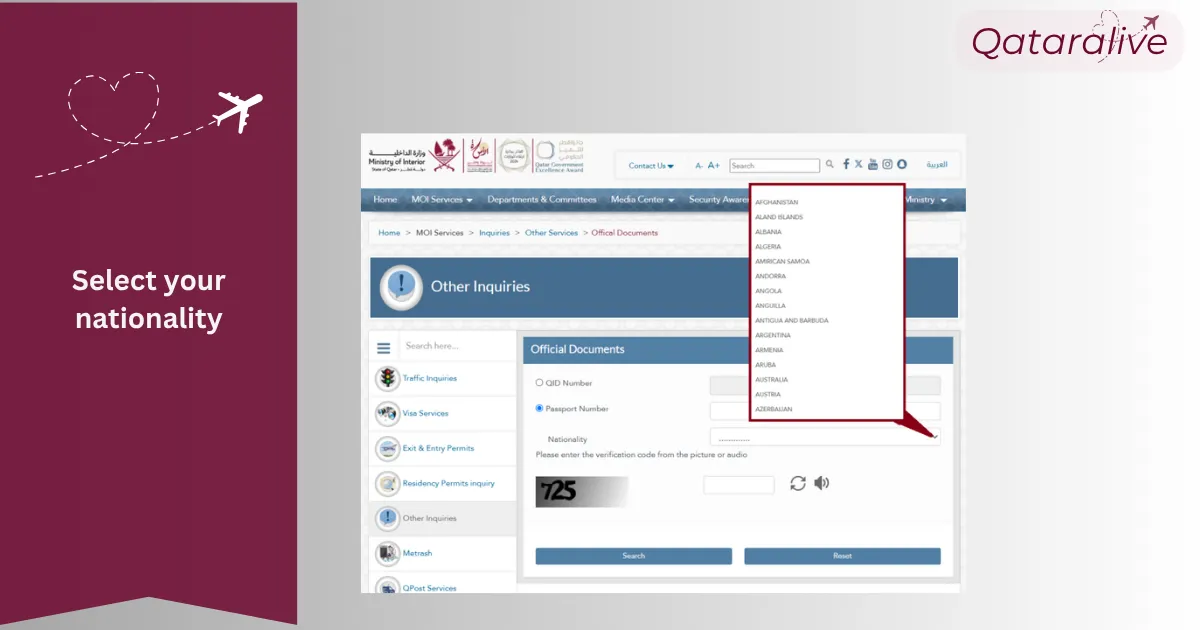
Select Your Nationality From the dropdown menu, pick the country that issued your passport.
Pass the Captcha Test Fill in the characters from the security image (or use the audio prompt).
Click “Search” Press the Search button to retrieve your residency and ID details.
Review the Results Check your Qatar ID information, including expiration dates and any pending renewals.
Reminder: When your Qatar ID shows Active status, it means it is valid and you can keep using it for all services. If it reads Expired, your ID is no longer valid and you should renew it right away so you don’t lose access.
You can use either QID or passport numbers for the Qatar ID status check and MOI Qatar Visa check.
Metrash is the simplified mobile application from the Ministry of Interior (MOI), bringing the government services right to the residences of Qatar residents. Here's how to check the MOI Qatar ID status through this app.
1. Download and install Metrash on your IOS and Android smartphone.
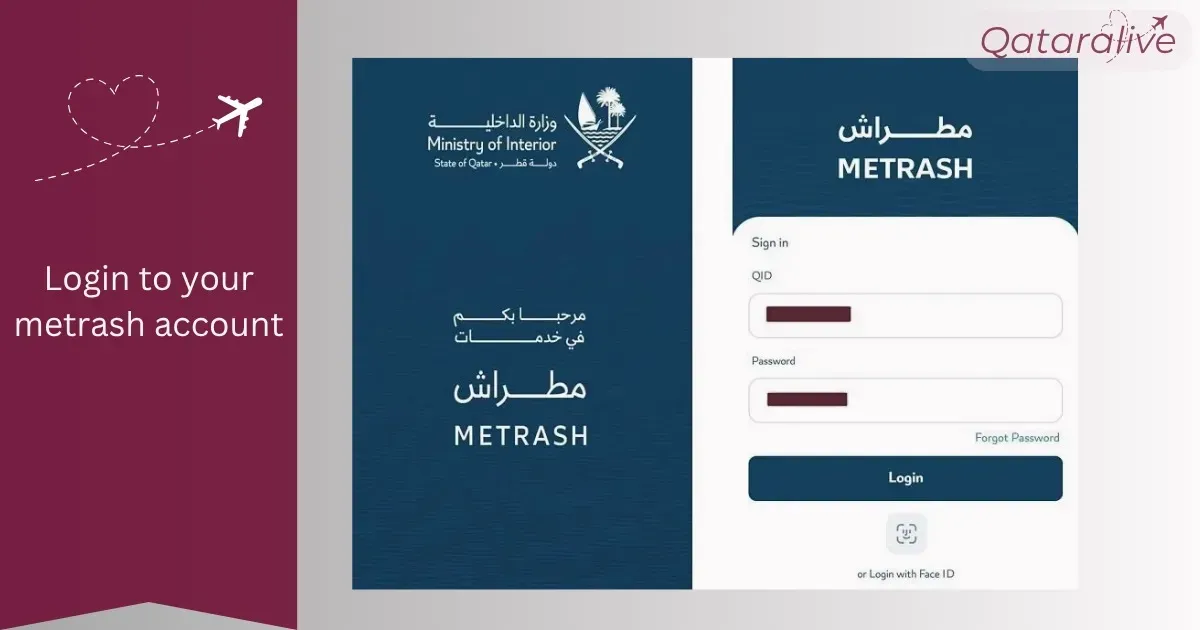
2. Use the Qatar ID number and PIN to log in to the system
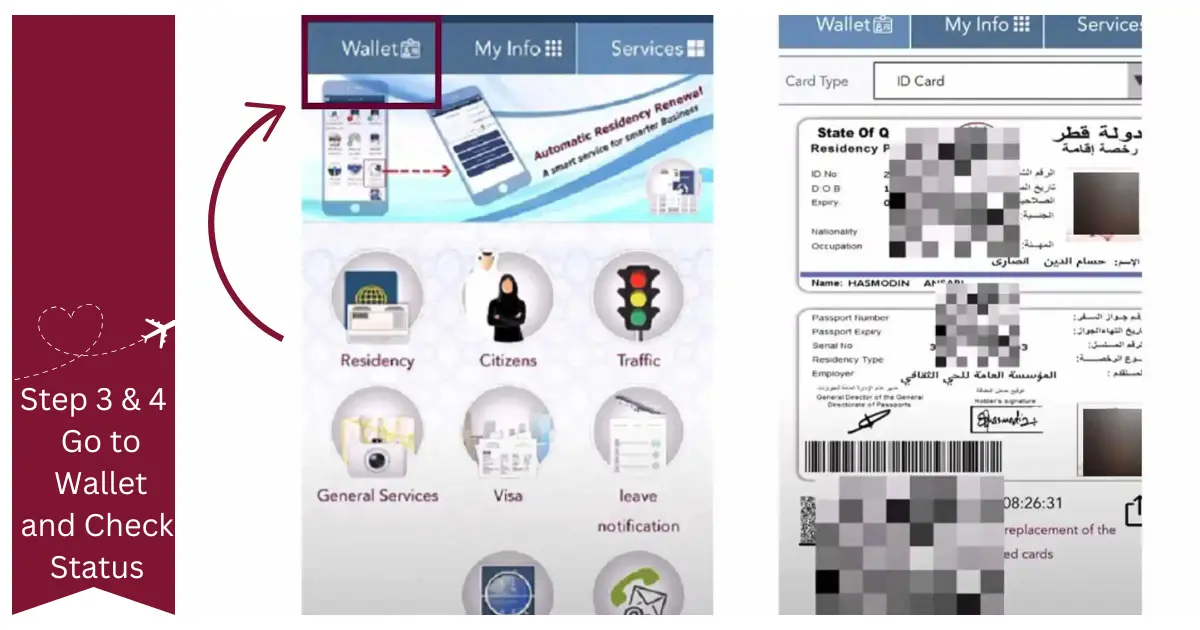
3. Go to "Wallet" This is most likely where your electronic documents are.
4. Select your MOI Qatar ID
5. The app will automatically reflect the Qatar ID status whether it is valid or not.
How to Check Qatar ID Status by Visa Number
Access the MOI Portal Navigate to the official MOI website.
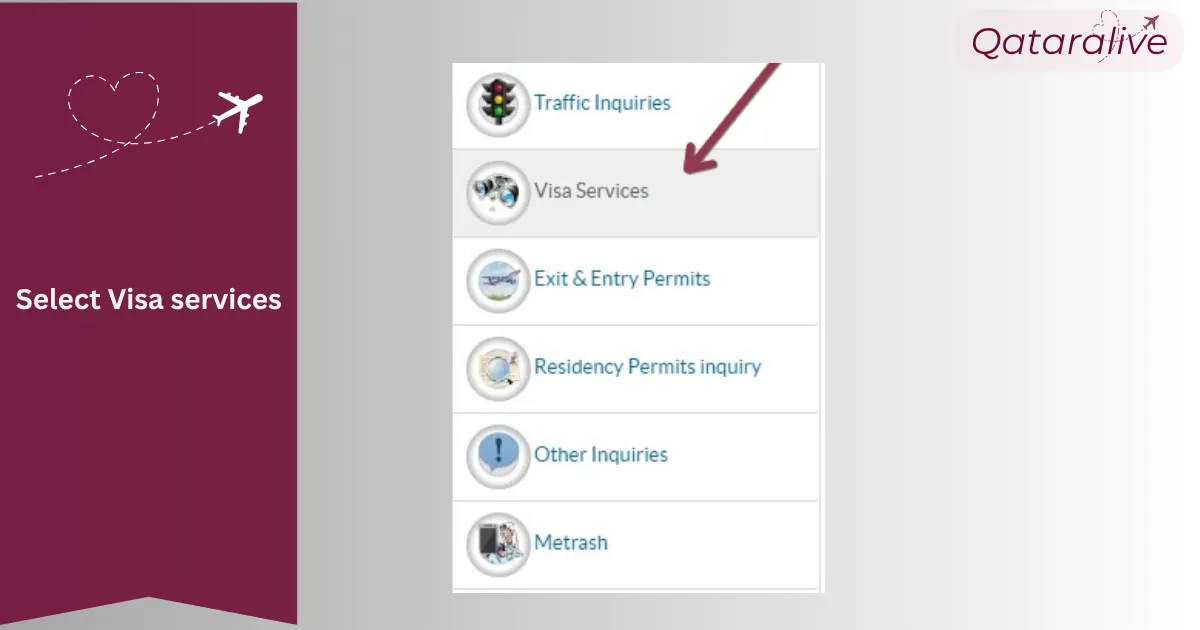
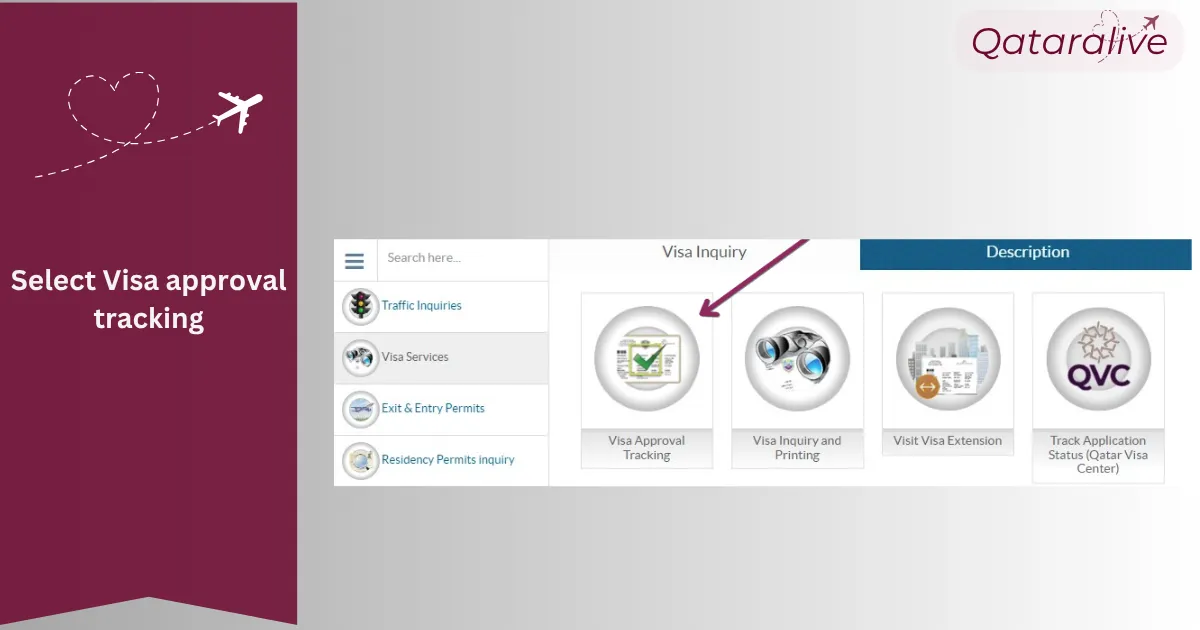
Select “Visa Services” From the primary navigation menu, choose Visa Services.
Proceed to “Visa Approval Tracking” Within the Visa Services section, click on Visa Approval Tracking.
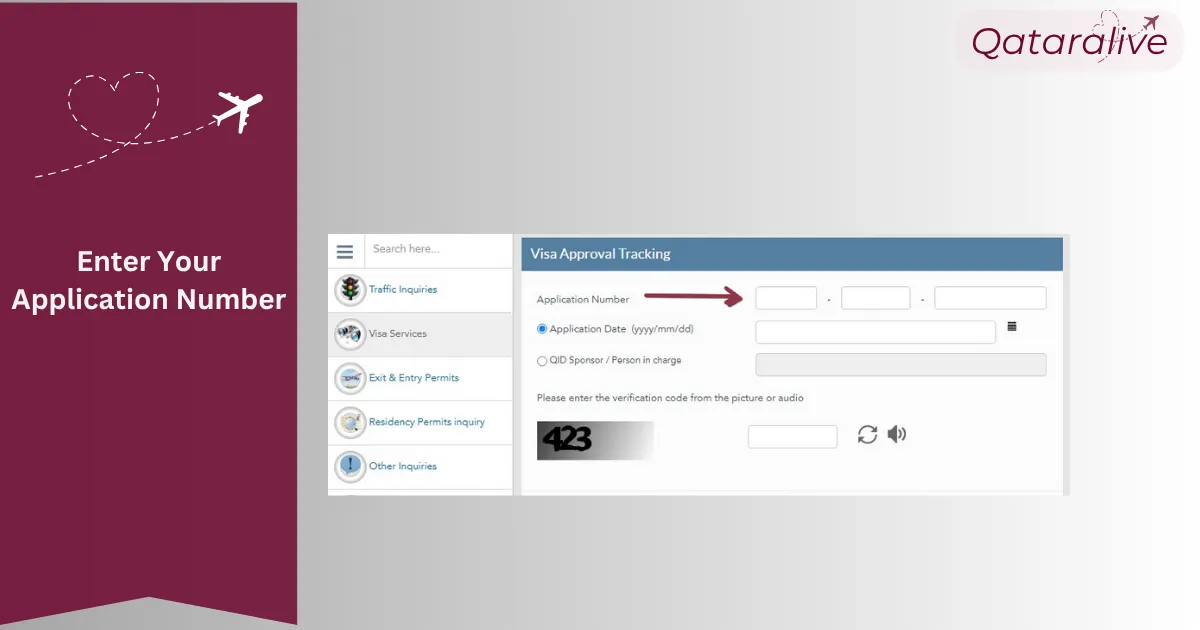
Provide Required Information Enter your visa Application Number and, then your Date of Birth or Qatar ID sponsor details.
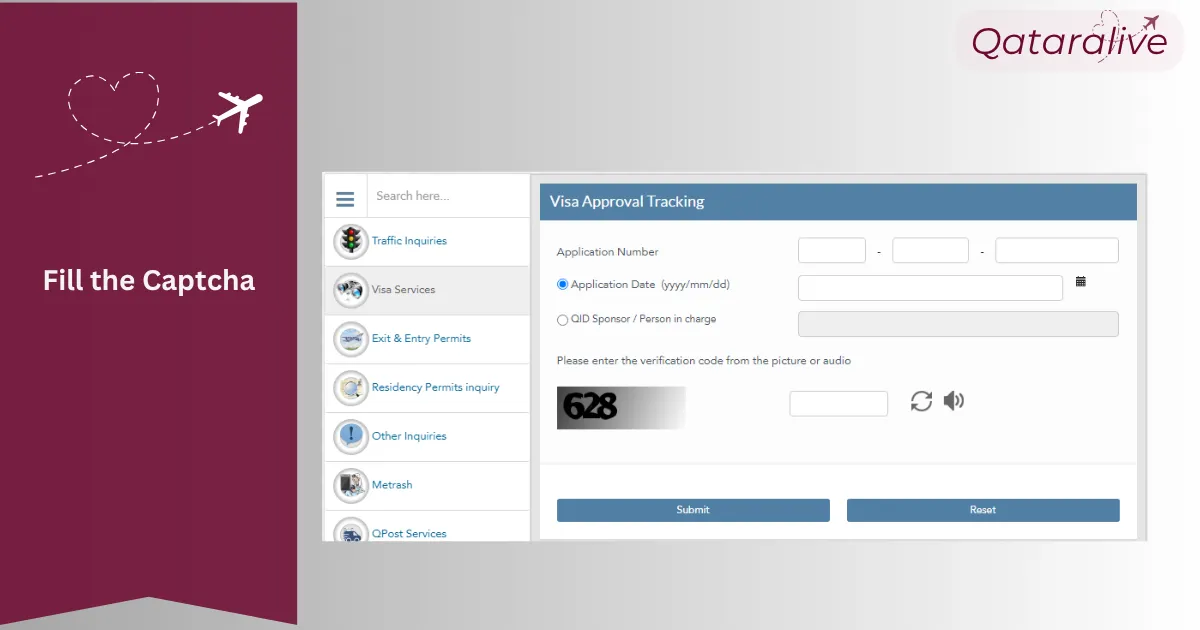
Complete the Security Verification Accurately write the characters shown in the captcha field.
Initiate the Search Click Search to view the current status of your visa application and associated Qatar ID validity.
What is a Qatar ID?
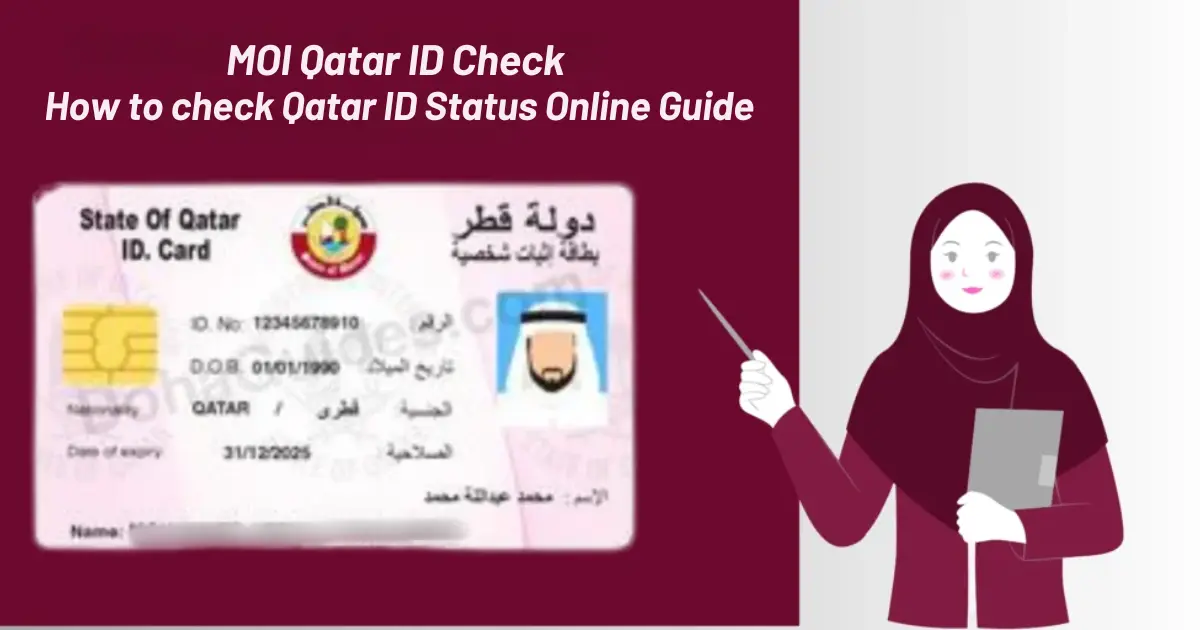
A Qatar ID is a type of identification card that the Qatari government releases. It can be claimed as identification proof and residence, especially for citizens, residents, and foreign workers. The information written on the card would include the holder's photograph, name, a unique number for QID, birthdate, nationality, signature, and the sponsor's details.
This 11-digit QID number is crucial for Qatari identification and checking the stay of people dwelling there, as it helps in key activities like opening their bank accounts, driving licenses, and several services by the government.
Understanding your MOI Qatar ID (QID) Number
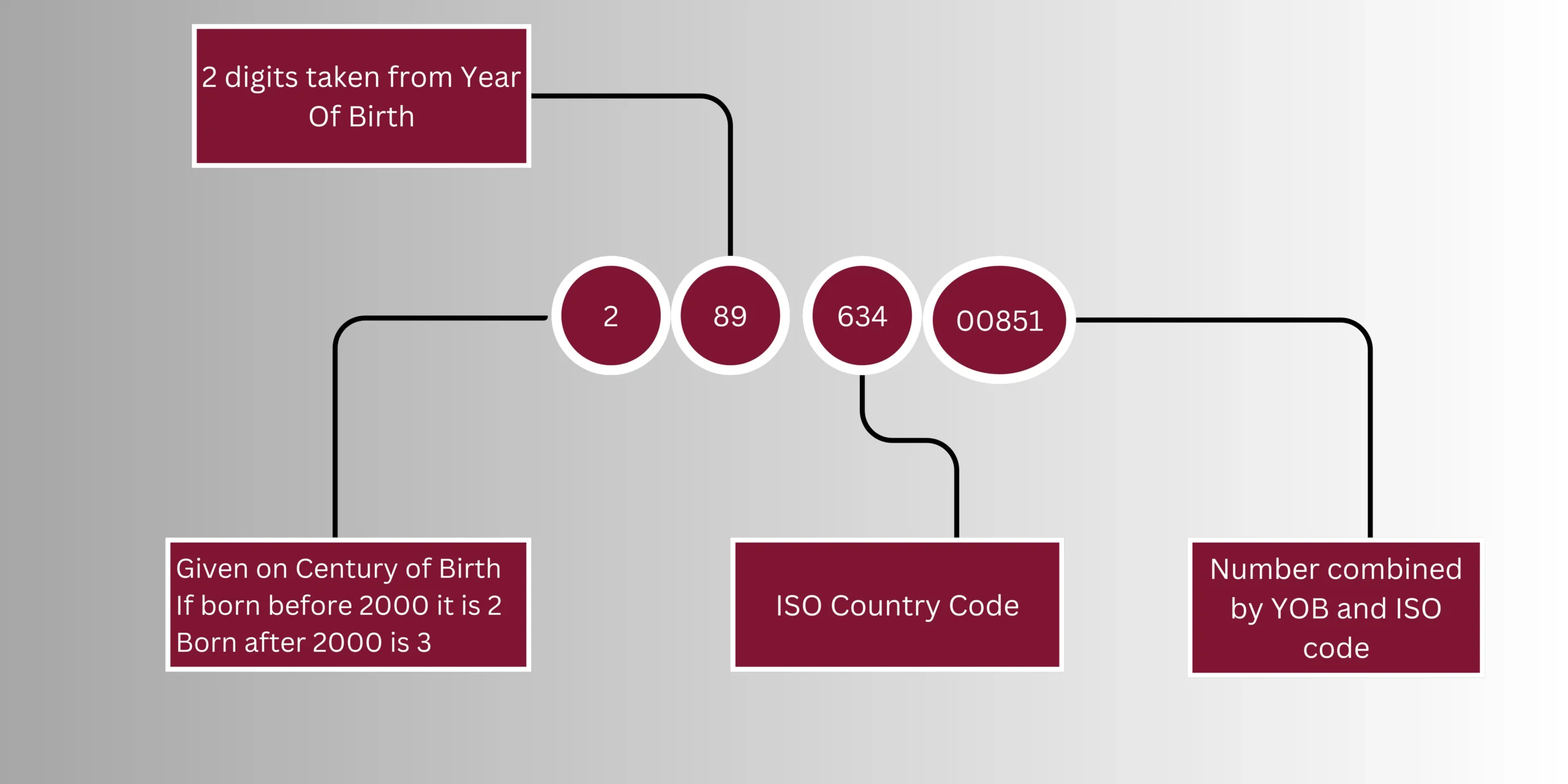
Your Qatar ID card has a long number with 11 digits. A sample Qatar ID number might look like 27963400851.
The number is broken into four parts with each part having a different meaning.
Part 1: The first digit represents your birth year. If born between 1900 and 1999 you are a 2. If you were born after 2000, then you are a 3.
Part 2: The numbers appearing between the first two represent the last two digits of your year of birth. For example, if you were born in 1989 then your numbers would be '79'.
Part 3: The fourth, fifth, and sixth digits identify your country by its ISO code. Each country has a specific ISO code, and for Pakistan, the code is 3166-2.
Part 4: The last five numbers are a one-time sequence number that includes your year of birth combined with an ISO code for one singular identifier.
How to Apply for a Qatar ID Online?
1. Undergo Medical Check-up
Within the first few days of landing in Qatar, you will be booked for a full health screening at one of the government‑approved clinics. This appointment typically includes:
A chest X‑ray
A blood draw (both to assess your overall health and to determine your blood type)
2. Provide Your Fingerprints Proceed to the Ministry of Interior office so they can take your fingerprints; this step is required for security clearance.
3. Issuance of Your Residence Permit & QID After your medical results and fingerprint records are submitted, your sponsor will start your Residence Permit application. Once it is approved, your official Qatar ID card (QID) will be printed and handed over to you.
Normally it takes 3-4 weeks after submission of your application. Once you have been approved your QID will be sent to a MOI service center.
How Long Does Qatar ID Card Last?
The number of years for which your Qatar ID card is valid is solely dependent upon the residency status of the person in any country.
Qatari Citizens: The Qatar ID card of Qatari Citizens lasts for a longer period of 10 years. The person can use it for a longer period without having it renewed frequently.
Dwellers: Even though the residents will take advantage of a 5-year validity period, this period is the same time for which there is a natural renewal cycle for residency permits in Qatar. This would mean that your ID card would be in line with your status as a resident.
An updated check on the validity of your Qatar ID status is always crucial to smooth living in Qatar. Using the easy steps placed here, as well as keeping track of changes in the latest regulations, you may easily make sure that your Qatar ID always remains valid and functional. You can also access many services and activities without any hindrances by making sure your Qatar ID stays valid and functional.
FAQs
To confirm your Qatar ID, go to the MOI e-Services portal and log in. You will find a section called Residency Services or Qatar ID Services. There will be an option there that says to check validity of the Qatar ID.
Just keep your 11‑digit Qatar ID number (QID) or your passport number and nationality with you. Write everything carefully to avoid mistakes.
If your Qatar ID expires, there is a 3-month grace period during which you can renew it without charges. Within this grace period, you can stay within the country. Nonetheless, you should start renewing it immediately. Otherwise, if you don't renew your ID after the grace period, then you will face a fee of QR 10 per day that has elapsed since it should have been renewed.
A smart ID card is a modern, safe ID that integrates old-time characteristics with electronic elements. Personal information and biometric data usually are stored in the chip of the smart card.
Obtaining a new QID typically takes close to three weeks.
When you lose or have your Qatar ID stolen, you should report it right away to the nearest police station. That will help you prevent some wrong person from using your identity for their advantage. Report the loss of your Qatar ID and proceed immediately in applying for its replacement.
Simply go to the MOI website, select your preferred language, enter your 11‑digit QID number, complete the captcha, and click “Search.” The page will display your Qatar ID expiry date alongside your residency and passport validity.
No, there is no fee. Accessing your Qatar ID and residency status online is completely free.
Updates typically appear within 24 to 48 hours after the MOI processes them. If you have just completed a renewal or document upload, wait a day before checking online again.