Qatar Police Clearance Certificate: Get Your PCC Online in 2026
Need a police clearance certificate from Qatar for a new job, a visa, or an immigration application? This guide explains exactly how to get a qatar police clearance certificate online through the Metrash app, plus the in-person route at the CEID office and how to apply after you have left Qatar.
It is written for residents in Qatar right now and for former residents applying from abroad, with real documents, real fees, and real timelines.
What Is a Qatar Police Clearance Certificate?
A qatar police clearance certificate, also called a Good Conduct Certificate, is an official document issued by the Criminal Evidence and Information Department (CEID) of Qatar’s Ministry of Interior (MOI). It confirms whether you have a criminal record in Qatar for the period you lived there.
If your record is clean, the certificate says so. If there are entries on your record, the certificate discloses them.
Who Needs a PCC in Qatar?
A qatar police clearance certificate is commonly requested for immigration applications to countries such as Canada, Australia, the UK, and New Zealand. Employers in Qatar and abroad also ask for it during background checks, especially for government jobs and licensed professions such as engineering and healthcare.
Universities abroad, family visa applications, and business registrations can require it too. Some employers ask for it before they issue a final job offer, so it pays to know the process before you need it in a hurry.
Big 2026 Change: Metrash Replaced Metrash2
Qatar’s Ministry of Interior launched a redesigned Metrash app in December 2024 and officially retired Metrash2 on 1 March 2025. The old app no longer works, so every guide still telling you to use Metrash2 is outdated.
Download the new Metrash app from the Google Play Store or the Apple App Store before you start. Your old Metrash2 login (QID and PIN) works on the new app, so you do not need to register again.
Documents You Need
The exact documents for your qatar police clearance certificate depend on why you need it and whether you still live in Qatar. The app shows you a checklist for your specific purpose before you reach the payment step. The official requirements below come from the MOI Evidences and Information Department page.
If You Live in Qatar and Need It for Employment
You will need a written statement of the purpose, naming the entity and the reason for the certificate. You will also need a copy of your Qatar ID (QID).
Residents must also submit a home country police clearance certificate, issued by their country’s embassy and attested by Qatar’s Ministry of Foreign Affairs. Three groups are exempt from that last document: expatriates born in Qatar, those who entered Qatar before turning 16, and residents who have lived in Qatar for more than 10 years without a break longer than 6 months.
If You Need It for Use Outside Qatar (Study or Immigration)
For Qatari nationals and current residents, a copy of your Qatar ID is the main requirement. If you are a former resident, your application goes through the Consular Affairs Department at Qatar’s Ministry of Foreign Affairs via Qatari embassies abroad.
Former residents must attach a certified and endorsed copy of their fingerprints, a copy of the passport, a copy of the previous residence permit, and two personal photos (4×6).
What to Prepare on Your Phone for the App Route
Keep clear scans of your QID (front and back) and your passport bio page saved in your phone gallery. Have a purpose letter from the requesting authority ready too, such as a letter from your employer, your university, or the immigration authority.
Blurry or cropped uploads are the most common cause of delays. Photograph every document in good light with the full edges visible before you start the application.
How to Apply Online via the Metrash App (Residents)?
Follow these steps to submit your qatar police clearance certificate application on the new Metrash app.
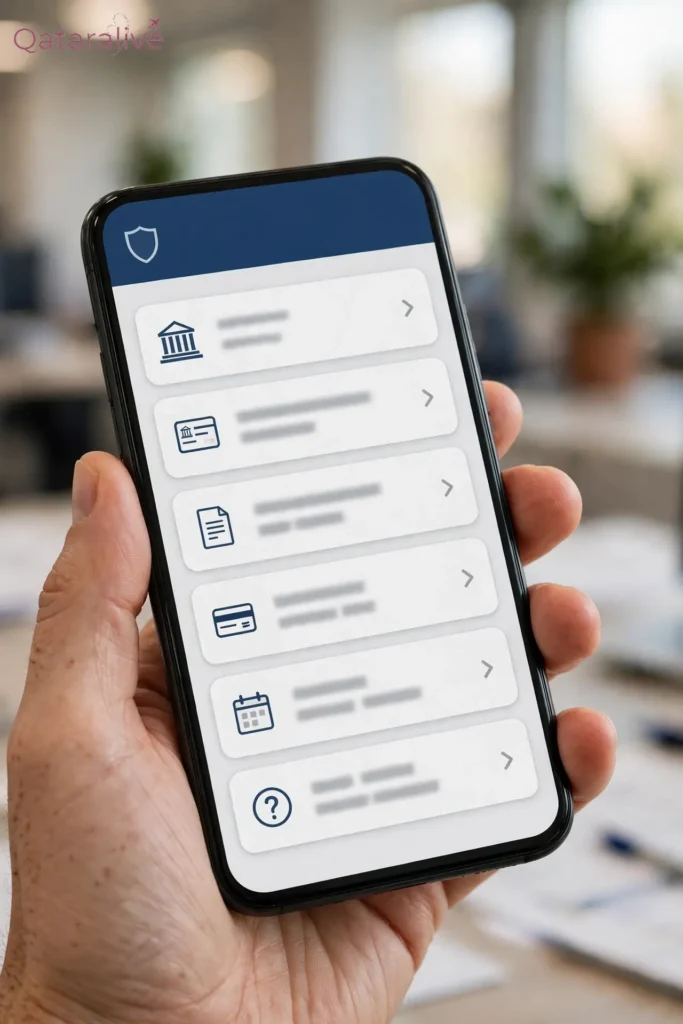
- Download the new Metrash app from the Google Play Store (Android 10 or above) or the Apple App Store (iOS 13 or above). Search for “Metrash” and skip any result for Metrash2.
- Open the app and log in with your 11-digit Qatar ID number and your 6-digit PIN. If you forgot your PIN, tap “Forgot PIN” on the login screen to reset it by SMS.
- On the home screen, tap “Security”. This replaced the old “General Services” tab from Metrash2.
- From the Security services list, select “Police Clearance Certificate”.
- Tap “New Request” to begin a fresh application. Do not tap “Application Follow-Up” unless you are checking an existing application.
- Fill in the purpose of the certificate, the destination country if it will be used abroad, and confirm your personal details. Most details auto-fill from your QID.
- Upload the documents the app requests for your purpose, either from your phone gallery or by taking a photo inside the app.
- Tick the checkbox that reads “I agree on the validity of data” to confirm your details are accurate, then continue.
- Choose how you want to receive the certificate: email to the requesting authority, Qatar Post delivery, collection at a service centre, or digital download through the Qatar Digital ID (QDI) app.
- Pay the fee of about QAR 10 by debit card, credit card, or Apple Pay. The exact amount appears at checkout and can vary with the purpose and delivery method.
- Submit the application and save your application reference number. You need it to track your request.
How to Track Your Application?
You can check your application status any time inside the Metrash app.
A status of “Submitted” or “Under Review” means your application is being processed. “Update Fingerprints” means you must visit a CEID fingerprint office to refresh your biometrics before the process can continue. “Approved” or “Issued” means your certificate is ready for download or delivery.
If the status does not change for a long time, visit the CEID office in person with your reference number and ask an officer to check it.
How to Apply In Person at the CEID Office?
You can also apply for a qatar police clearance certificate in person if the app flags an issue or you prefer dealing with an officer face to face.
The CEID head office is in the Gharrafat Al Rayyan area, Al Rayyan Municipality, Zone 51, Doha, near Salwa Road. Reported working hours are Sunday to Thursday, 7:00 AM to 1:00 PM. The office phone is +974 4508 6666 and the email is [email protected].
Bring your documents, fill in the application form, pay the fee, and keep your receipt. Visit in person when the app asks you to update your fingerprints, when your case is complex, or when you need an officer’s help to clear a hold on your application.
Applying From Abroad After Leaving Qatar
If you no longer live in Qatar, you can still get a qatar police clearance certificate for the time you lived there. You must have lived in Qatar for at least six months. Follow these steps.

- Have your fingerprints taken at your local police station or an accredited fingerprinting agency. Get the fingerprint card attested by a competent government authority in your country.
- Prepare copies of your current passport and the old passport you used in Qatar. Include the pages showing your personal details, your residence permit, and your first entry and last exit dates.
- Prepare three recent passport-size photos and a letter stating the purpose of the certificate.
- If your case requires it, get a police clearance certificate from your own country, attested by the competent government authority there.
- Submit everything through the nearest Qatari embassy or consulate. The embassy forwards your file through the Consular Affairs Department at Qatar’s Ministry of Foreign Affairs.
- Alternatively, give a trusted person in Qatar a power of attorney. They can then apply on your behalf at the CEID office with your documents.
- Choose email or courier delivery for receiving the finished certificate. Allow two to four weeks for the full round trip from abroad.
Fee and Processing Time
The standard fee for a qatar police clearance certificate is QAR 10 per certificate. The exact amount shows at checkout in the app and can vary with the purpose and delivery method you choose.
There is no officially published fixed processing time. Simple cases with complete documents are usually approved within a few days. Cases needing extra verification can take one to several weeks, so apply as early as you can.
How Long Is a Qatar PCC Valid?
Most employers and immigration authorities treat a qatar police clearance certificate as valid for six months from the date of issue. Some authorities want it fresher than that, especially for immigration cases.
Always check the exact requirement of the authority asking for it before you apply. Applying too early can mean paying for the certificate twice.
Using Your PCC Abroad: Attestation and Legalisation
Some countries and employers want your qatar police clearance certificate attested before they accept it. The usual chain in Qatar is attestation by the Ministry of Foreign Affairs in Qatar, then legalisation by the embassy of the country where you will use the certificate.
For Canadian immigration (IRCC), the process is simpler. Choose the email delivery option in Metrash, and Qatar’s MOI sends the certificate directly to IRCC by email on your behalf. That is the accepted method for IRCC applications. Ask the requesting authority exactly what format they accept before you start, so you do not pay for attestation you do not need.
Common Reasons for Delays and Rejections (and Fixes)
Most PCC problems come down to documents, not to your record. Here are the common ones and how to fix each.
Blurry or cropped document photos are the top cause of holds. Fix: rescan in good light with the full edges of each document visible.
“Update Fingerprints” status means the MOI does not have usable biometrics on file for you. Fix: visit a CEID fingerprint office in person, then resubmit or continue the application.
A missing purpose statement stalls employment-purpose applications. Fix: add a letter naming the entity and the reason, as the MOI conditions require.
A visitor-status period on your record triggers extra questions. Fix: attach a written explanation with the dates and a copy of your passport entry stamp.
An “on hold” status with an Arabic message confuses many applicants. Fix: translate the message with a translation app. Applicants report it is often the first date of entry, fixed by uploading the passport page with your entry stamp.
In a Hurry? Realistic Timelines and What to Do If You Are Leaving Soon
If you need a qatar police clearance certificate for an urgent job offer or an immigration deadline, here is how to move fast. Apply through the Metrash app during working hours, Sunday to Thursday, 7 AM to 1 PM Qatar time, with every document clear and complete.
Simple cases are often approved within a few days of a correct submission. If your fingerprints are not on file, budget an extra in-person visit to the CEID office.
Leaving Qatar soon? Apply while your QID is still valid and your registered mobile number still works, because the app login and OTP codes depend on them. Once approved, download the digital copy through the Qatar Digital ID app so you still have the certificate after you fly out.
Conclusion
Getting your Qatar PCC is straightforward once you use the right app and prepare your documents properly. The new Metrash app handles most cases without a single office visit, and the CEID office or a Qatari embassy covers everything else.
Apply early, keep your reference number, and confirm the exact format your employer or immigration authority wants before you pay for extras like attestation. Do that, and the PCC is one less thing standing between you and your next move.